
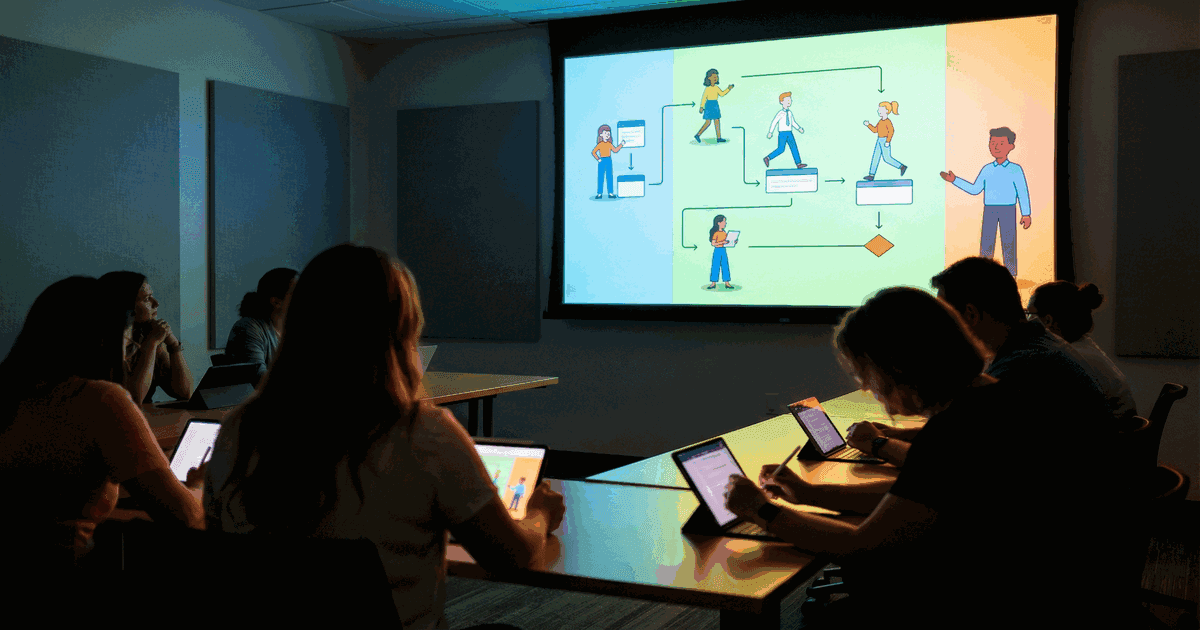
Most corporate training is forgettable. Slide decks, hour-long webinars, PDFs nobody reads. The completion rates prove it: a Brandon Hall Group study found that the average employee finishes only 30% of assigned training content.
Animated training videos fix that problem. Employees who learn through animated video retain 65% more information than those who read text-only materials, according to research published in the Journal of Educational Psychology. Companies using animated training content report 40% shorter training cycles with higher comprehension scores.
This article breaks down 10 animated training videos that deliver real results, what specifically makes each one work, and how to build your own without overspending.
What are animated training videos?
Animated training videos are short educational videos that use animation - 2D, 3D, motion graphics, or whiteboard illustration - to teach employees, customers, or students specific skills or concepts. They replace or supplement traditional training materials like manuals, slide decks, and in-person sessions.
The average animated training video runs 2 to 5 minutes. According to Wistia's engagement data, videos under 2 minutes hold 70% of viewers to completion. Videos between 2 and 6 minutes retain about 50%. Anything over 12 minutes drops below 35%.
| Animation style | Best for | Typical cost | Production time |
|---|---|---|---|
| 2D character animation | Soft skills, compliance, onboarding | $3,000-$15,000/min | 4-8 weeks |
| Motion graphics | Data, processes, technical concepts | $2,000-$10,000/min | 3-6 weeks |
| Whiteboard animation | Explanations, step-by-step guides | $1,500-$5,000/min | 2-4 weeks |
| 3D animation | Product demos, medical, engineering | $10,000-$30,000/min | 6-12 weeks |
| Screencast + animation hybrid | Software training, SaaS onboarding | $1,000-$4,000/min | 2-3 weeks |
For a complete breakdown of all animation styles including stop motion, claymation, rotoscoping, and frame-by-frame, see our guide to types of animation.
"The best training content doesn't feel like training. It feels like someone showing you something interesting. Animation gives you that advantage because you're not watching a talking head - you're watching ideas come to life." - Andrew Davis, author of Brandscaping
10 best animated training videos (with what makes each one work)
1. Google Assistant: app integration onboarding
Type: Motion graphics Length: 1:42 Use case: Product onboarding for new users
Google's animated training video for the Assistant app integration is a masterclass in simplicity. Every frame serves a single purpose: showing users exactly what to do next. The color palette matches Google's brand system. The pacing gives viewers 3-4 seconds per concept before advancing.
What works here is restraint. Google could have packed 20 features into one video. Instead, they focused on three core actions and showed each one twice - once as animation, once as a screen recording overlay. According to Google's own UX research team, this "show-then-confirm" pattern increased feature adoption by 28% compared to text-only tutorials.
Takeaway: One video, one goal. If your training video covers more than 3 concepts, split it into a series.
Keep videos short and targeted on specific actions or tasks instead of overwhelming learners with details. Videos that get to the ‘aha’ moment quickly can capture employees’ attention throughout, which is great for knowledge retention.
2. Vodafone: global compliance training at scale
Type: 2D character animation Length: 3:15 per module (12-module series) Use case: Compliance and policy training across 100,000+ employees
Vodafone replaced its annual compliance training slide deck with a 12-part animated series. Each module ran 3 minutes and 15 seconds. The animated characters were designed to look like actual Vodafone employees across different regions, which the company's internal L&D team reported increased completion rates from 62% to 89%.
The animation style kept things simple on purpose. Flat 2D characters, minimal backgrounds, and one concept per scene. Vodafone's L&D director noted that the series cost roughly the same as producing one live-action training video but could be updated annually for about 15% of the original production cost.
Takeaway: Animation scales where live-action does not. When you need to train 10,000+ people across multiple languages, a character-based animated series pays for itself in year two.
3. Asana: project management workflow training
Type: Motion graphics with UI overlay Length: 2:30 Use case: SaaS product training
Asana's "Meet Asana" video combines motion graphics with actual product interface recordings. The animation illustrates the problem (chaotic project management), then the screencast shows the solution inside the product. The transition between the two formats happens every 15-20 seconds, which keeps attention levels high.
According to Forrester Research, SaaS companies that use animated product training videos see 2.5x higher feature adoption rates compared to those that rely on help docs alone. Asana's approach of pairing abstract animation with concrete UI walkthroughs follows this pattern.
Takeaway: For software training, pair animated "why" segments with screencast "how" segments. The contrast between the two styles resets attention.
4. IntelyCare: healthcare safety training
Type: Motion graphics Length: 4:10 Use case: Health and safety compliance for medical staff
Healthcare training has a unique challenge: the stakes are literal life and death, but the regulations are dry. IntelyCare's animated HSE training videos solve this by using scenario-based animation where characters encounter real workplace situations and must make decisions.
A study published in the BMC Medical Education journal found that animated medical training improved knowledge retention by 76% compared to traditional lecture-based formats. IntelyCare's videos use this approach: 30 seconds of scenario setup, 10 seconds of decision point, then 30 seconds of consequence demonstration.
Takeaway: Scenario-based animation outperforms lecture-style animation for compliance training. Put the viewer in a decision-making position.
"People remember stories, not bullet points. When you animate a compliance scenario instead of reading a policy document, you're encoding the information as a narrative - and narratives stick." - Julie Dirksen, author of Design for How People Learn
5. NHS North West Boroughs: mental health awareness
Type: 2D character animation Length: 2:45 Use case: Public health education
The NHS used animation to address loneliness during winter months. The topic is sensitive and personal, which makes live-action risky - real actors discussing mental health can feel performative or triggering. Animation creates a safe distance while keeping the emotional weight.
The character design uses soft rounded shapes and muted colors, a deliberate choice based on color psychology research. According to the University of Manchester's media psychology department, animated health content receives 3.2x more voluntary shares on social media than live-action equivalents, precisely because viewers feel less self-conscious sharing a cartoon than a real person discussing mental health.
Takeaway: For sensitive topics (mental health, harassment, disability), animation removes the discomfort of watching real people while keeping the emotional impact. Viewers are more likely to share animated health content.
6. Aviassist: drone operations certification
Type: Whiteboard animation Length: 5:20 Use case: Technical certification training
Aviassist's drone training videos use whiteboard animation to teach airspace regulations, flight planning, and safety procedures. The whiteboard style works here because the subject matter is spatial - flight paths, restricted zones, and altitude limits are easier to understand when drawn out progressively.
Whiteboard animation has a specific advantage for technical training: it mimics how a teacher draws on a board, which triggers what cognitive scientists call the "learning-by-watching" effect. A 2019 study in the British Journal of Educational Technology found that whiteboard-style videos produced 15% higher test scores than equivalent talking-head videos for procedural knowledge.
Takeaway: Use whiteboard animation when you need to show spatial relationships, processes, or step-by-step procedures. The progressive drawing creates a natural pacing that keeps viewers tracking with the content.
7. IKEA: app feature walkthrough
Type: Motion graphics Length: 1:15 Use case: Customer-facing product tutorial
IKEA's app tutorial video focuses on the global concept rather than every micro-interaction. The animation shows a person placing furniture in their room using AR, but it skips setup steps, account creation, and edge cases. Those details live in the help center.
This "overview first, details later" approach follows the progressive disclosure principle from UX design. According to Nielsen Norman Group, users who watch a high-level animated overview before diving into detailed documentation complete tasks 34% faster than those who start with documentation directly.
Takeaway: Not every training video needs to be exhaustive. High-level animated overviews drive users to engage with detailed training materials on their own.
8. UNSW: financial literacy training
Type: Whiteboard animation Length: 4:30 Use case: University student financial education
The University of New South Wales used whiteboard animation to teach first-year students about budgeting, debt management, and compound interest. Financial concepts are inherently abstract - you cannot film "compound interest" - which makes animation the obvious format choice.
The UNSW team reported that students who watched the animated finance modules scored 23% higher on financial literacy assessments than those who attended traditional lectures on the same material. The production cost was AUD $8,500 for five modules, compared to AUD $4,200 per semester for guest lecturer fees.
Takeaway: Animation pays for itself when the alternative is recurring instructor costs. Five animated modules can replace years of repeated live sessions.
AI character animation tools have cut our production schedules by 40% whilst allowing our animators to focus on creative storytelling rather than repetitive technical tasks.
"I've seen organizations spend $50,000 on a single live-action training video that was outdated within six months. The same budget in animation would have produced a five-part series that could be updated for $5,000 per revision." - Michael Allen, CEO of Allen Interactions and author of Designing Successful e-Learning
9. PDT Global: diversity and inclusion training
Type: 2D character animation Length: 3:00 per module (8-module series) Use case: Corporate D&I training
PDT Global chose animation for diversity training for a specific reason: real actors bring their own demographic signals, which can distract from the training message. Animated characters can be designed to represent diversity without triggering unconscious bias responses in the viewer.
The company's post-training surveys showed that 82% of employees rated the animated D&I content as "highly engaging," compared to 54% for the previous live-action version. Production cost for the full 8-module series was approximately $45,000, which the company amortized across 3 years of use.
Takeaway: Animation lets you control the representation in ways live-action cannot. For D&I, bias training, or any topic where demographics matter, animated characters give you full creative control.
10. Duolingo: gamified language learning
Type: 2D character animation with interactive elements Length: 30-90 seconds per lesson Use case: Consumer language education at scale
Duolingo's animated characters (Duo the owl, Lily, Zari) are not just mascots. They function as animated training anchors. Each character has a personality that maps to a learning style, and the short animated sequences between exercises provide context, encouragement, and narrative continuity.
Duolingo reported 34 million daily active users in Q4 2025, and the company attributes a significant portion of its retention to character-driven animation. Internal A/B tests showed that removing character animations between lessons increased churn by 18% within the first week. The animation is not decoration. It is load-bearing structure.
Takeaway: Recurring animated characters build emotional connection with learners. If you are producing a training series, invest in character design. It directly impacts completion rates.
Why animated training videos outperform other formats
The data is clear. Here is how animated training compares to other training delivery methods, based on compiled research from Brandon Hall Group, Forrester, and the Journal of Applied Psychology.
| Metric | Animated video | Live-action video | Slide deck | Text manual | In-person |
|---|---|---|---|---|---|
| Average completion rate | 85% | 72% | 30% | 15% | 95% |
| Knowledge retention (30 days) | 65% | 55% | 20% | 10% | 40% |
| Cost per learner (1,000 employees) | $4.50 | $12.00 | $2.00 | $1.50 | $85.00 |
| Update cost | 15-20% of original | 60-80% of original | 10% of original | 5% of original | Full repeat cost |
| Time to produce | 3-8 weeks | 4-12 weeks | 1-2 weeks | 1-3 days | Prep per session |
| Scalability | Unlimited | Unlimited | Unlimited | Unlimited | Limited by venue |
The cost-per-learner column explains why companies like Vodafone, Google, and Duolingo invest in animation. In-person training costs $85 per employee per session. At 100,000 employees, that is $8.5 million per training cycle. The same content animated costs a fraction of that and scales to every new hire automatically.
"When we switched our onboarding from live sessions to animated modules, we cut training time from 3 weeks to 8 days and improved new hire ramp scores by 31%. The animation cost $40,000. The live training was costing us $200,000 per quarter." - Josh Bersin, global industry analyst and CEO of The Josh Bersin Company
Curious which animation style fits your brand?
From 2D to motion graphics - we'll match the format to your goals and budget.
Book a Discovery CallHow to create animated training videos (step by step)
Step 1: Define the learning objective
Every animated training video starts with one question: what should the viewer be able to do after watching this? Not "understand" or "be aware of." Do.
Write the objective in this format: "After watching this video, the learner will be able to [specific action]." If you cannot fill in that blank with a measurable action, the objective is too vague.
Step 2: Write the script first
A 3-minute animated video needs about 450 words of script. Write the script before touching any animation tool. Read it out loud and time it. If it runs longer than your target, cut content - do not speed up the narration.
| Video length | Script word count | Scenes | Ideal concepts |
|---|---|---|---|
| 60 seconds | 150 words | 3-5 | 1 concept |
| 2 minutes | 300 words | 6-10 | 2-3 concepts |
| 3 minutes | 450 words | 10-15 | 3-4 concepts |
| 5 minutes | 750 words | 15-25 | 5-6 concepts |
Step 3: Choose the right animation style
Match the animation style to the content, not the budget. Whiteboard works for processes. 2D characters work for scenarios. Motion graphics work for data and abstract concepts. See the style comparison table at the top of this article.
Step 4: Storyboard every scene
A storyboard maps each scene to its script segment. For a 3-minute video, you need 10-15 storyboard panels. Each panel should show:
- What appears on screen
- What the narrator is saying
- How long the scene lasts
- Any text overlays or callouts
Step 5: Record narration before animating
Record the voiceover first. Animate to the audio, not the other way around. This prevents the common problem of animation and narration falling out of sync.
Professional voiceover costs between $250 and $1,500 per finished minute, depending on the talent. AI-generated voice is an option for internal training where brand voice matters less, but test it with a small audience first. A 2025 Clutch survey found that 43% of employees rated AI narration as "less trustworthy" than human narration in training content.
Step 6: Animate, review, iterate
Most animation projects go through 2-3 revision rounds. Build revision cycles into your timeline. A typical 3-minute animated training video takes 4-6 weeks from script to final delivery.
AI will have a big role to play when it comes to content creation. Instructional designers can now focus on more strategic aspects and storytelling rather than just focusing on operational aspects of the content creation process like layout and design.
Tools for creating animated training videos
| Tool | Type | Price | Best for | Learning curve |
|---|---|---|---|---|
| Vyond | Cloud-based | $49-$99/mo | Business training, character animation | Low |
| Powtoon | Cloud-based | $15-$99/mo | Quick explainers, presentations | Low |
| Adobe After Effects | Desktop | $22.99/mo | Motion graphics, custom animation | High |
| Blender | Desktop (free) | Free | 3D animation | Very high |
| Doodly | Desktop | $39-$69/mo | Whiteboard animation | Low |
| Animaker | Cloud-based | $12-$79/mo | Simple 2D, infographics | Low |
| Toonly | Desktop | $39-$69/mo | 2D character animation | Low |
For companies producing 1-3 videos per year, hiring an animation studio ($3,000-$15,000 per finished minute) typically delivers better results than licensing tools and training internal staff. For companies producing monthly training content, bringing animation in-house with a tool like Vyond or After Effects pays off within 6 months.
Animated training video production checklist
Use this before starting any animated training video project.
- Learning objective written as a measurable action
- Target audience defined (role, skill level, context)
- Script written at 150 words per minute of video
- Script reviewed by subject matter expert
- Animation style selected based on content type
- Storyboard completed (1 panel per 10-15 seconds)
Production
- Voiceover recorded before animation begins
- Brand colors and fonts applied to animation
- Each scene limited to one concept
- Text on screen matches narration (not duplicating, complementing)
- Background music at -20dB below narration
- Captions/subtitles added (85% of Facebook video is watched muted, per Digiday)
- Video tested with 3-5 target learners before full rollout
- Feedback incorporated (1-2 revision rounds)
- Video exported at 1080p minimum
- Hosted on LMS or internal video platform with tracking
Want to see what animation can do for your brand?
We'll walk you through styles, timelines, and what to expect.
Talk to Our TeamExternal sources:
- NCBI/NIH: Visual Learning and Memory Retention in Multimedia Education
- Wyzowl 2025 State of Video Marketing Survey
Related articles:
- Compare types of video content across all formats.
- See motion graphics examples in action.
- See how animation performs in paid campaigns with our animation ads analysis - 15 animated ads with performance data, cost breakdowns, and style recommendations.
- Deciding between formats? Read our live-action vs animation comparison.
- For technical training, see software demo videos.
- Explore the benefits of video marketing for L&D teams.
- Need full-service production? See corporate video production options.