
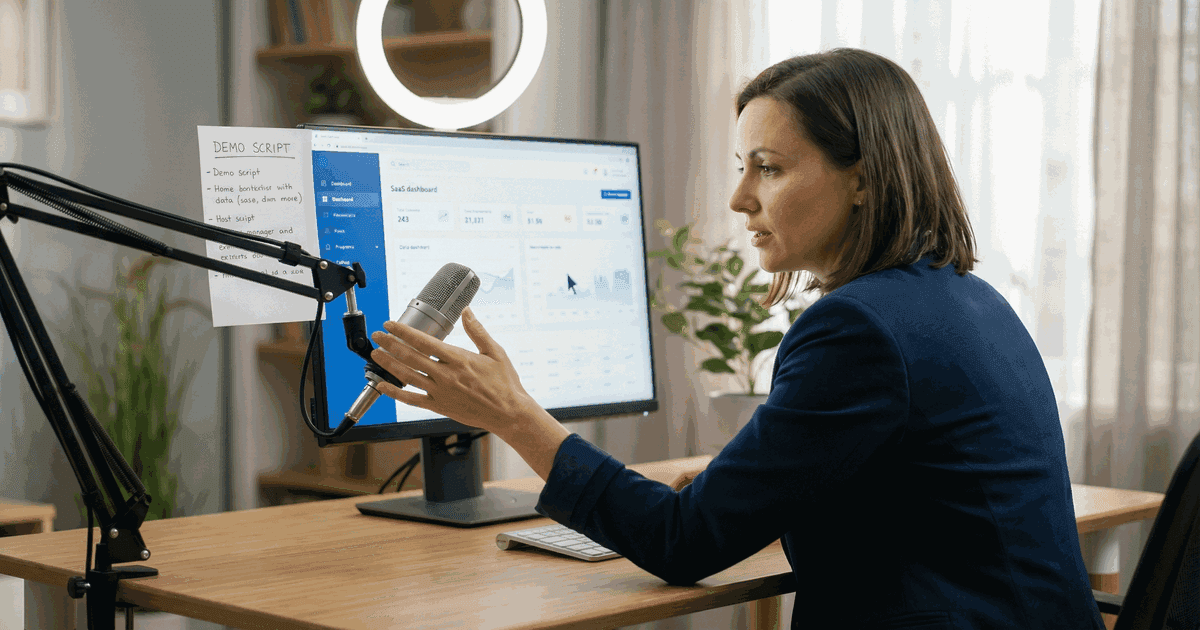
A bad software demo video is the most expensive marketing asset you can produce. Not because of the production cost. Because of the deals it kills quietly.
According to Wyzowl's 2025 State of Video Marketing survey, 82% of B2B buyers say they have been convinced to purchase software after watching a demo video. But the same survey found that 43% of those buyers also said a poor demo video made them less likely to purchase, even when the product itself met their needs.
The gap between a demo video that converts and one that repels is not production budget. It is structure, pacing, and a clear understanding of what the viewer needs to see versus what the product team wants to show.
What is a software demo video?
A software demo video is a short video that shows how a software product works in practice. It demonstrates the product's interface, features, and workflow in action rather than describing them in text or screenshots.
Software demo videos differ from explainer videos. An explainer video describes what a product does and why it matters. A demo video shows the product in use, typically through screen recordings, animated UI walkthroughs, or a combination of both.
According to Gartner's 2025 B2B Buying Journey report, the average B2B software purchase now involves 11 stakeholders and 7 months of evaluation. Demo videos serve every stage of that journey: initial awareness, shortlist comparison, internal advocacy, and final approval.
If you look at the production side of things, AI can help with idea generation, scripting, editing... It's really making video marketing, especially production, accessible to more people who may have thought video was this unreachable, difficult part of their marketing. Of course, all these functions require human oversight. AI cannot work alone. When you combine AI's capabilities with human creativity and insights, you're bound to get some awesome content from it.
"The demo video is no longer a sales support tool. It is the sales conversation. Buyers watch the demo before they talk to a salesperson. If the demo does not answer their questions, they do not call. They just move to the next vendor," says Tyler Lessard, former VP of Marketing at Vidyard and author of "The Visual Sale."
Why software demo videos matter for B2B conversion
The data on demo video impact is consistent across sources.
Conversion lift. Unbounce's 2025 Conversion Benchmark Report found that landing pages with software demo videos convert at 86% higher rates than pages with screenshots alone. The median conversion rate for SaaS landing pages with demo video is 8.6%, compared to 4.6% without.
Sales cycle reduction. Vidyard's 2025 Video in Business Benchmark found that sales teams using personalized demo videos in outreach see a 26% shorter sales cycle compared to teams using text-only emails. The reduction comes from fewer back-and-forth explanation calls.
Buyer preference. According to TrustRadius's 2025 B2B Buying Disconnect report, 72% of software buyers watch a vendor's demo video before requesting a live demo or sales conversation. Among technical buyers (developers, IT managers), that figure rises to 84%.
Internal advocacy. HubSpot's 2025 State of Marketing report found that demo videos are the most-shared content type in B2B buying committees. 68% of buyers said they forwarded a demo video to a colleague during a purchase evaluation, compared to 31% for case studies and 22% for whitepapers.
| Metric | With demo video | Without demo video | Source |
|---|---|---|---|
| Landing page conversion rate | 8.6% | 4.6% | Unbounce 2025 |
| Sales cycle length | 26% shorter | Baseline | Vidyard 2025 |
| Pre-call demo viewing rate | 72% | N/A | TrustRadius 2025 |
| Internal sharing rate | 68% | N/A | HubSpot 2025 |
| Post-demo purchase intent | 82% positive | N/A | Wyzowl 2025 |
Capturing that major B2B deal requires trust, and nothing builds trust faster than personal video content. I feel more trusting of a brand after watching a 1-min clip of their founder talking than if I read five of their blog posts.
The five software demo video formats that work
Not all demo videos serve the same purpose. The format should match where the buyer is in their evaluation process.
1. Problem-solution demo (top of funnel)
This format opens with the buyer's problem, then shows how the software solves it. No feature tour. No interface walkthrough. Just the pain point and the resolution.
Best length: 60-90 seconds.
Why it works: Vidyard's 2025 benchmark data found that problem-solution demos generate 37% higher conversion rates than feature-tour demos. The format works because it mirrors how buyers think. They do not search for "project management software features." They search for "how to stop missing deadlines on remote projects."
Structure:
- 0-10 seconds: Name the problem the viewer has right now
- 10-40 seconds: Show the software solving that problem in real time
- 40-70 seconds: Show the outcome (time saved, errors reduced, revenue gained)
- 70-90 seconds: Single clear call to action
Example: Slack's "So Yeah, We Tried Slack" campaign showed teams drowning in email threads, then demonstrated how Slack organized the same conversations. No feature list. No pricing. Just the before and after.
2. UI walkthrough demo (mid-funnel)
This format shows the actual product interface in detail. It walks through a specific workflow from start to finish, showing every click and screen.
Best length: 3-5 minutes.
Why it works: Buyers who reach mid-funnel evaluation need to see the product's actual interface. According to TrustRadius's 2025 survey, 67% of B2B buyers said the single most useful piece of vendor content during evaluation was a "realistic product walkthrough showing the actual interface, not a polished marketing version."
Structure:
- 0-15 seconds: State what workflow you are demonstrating and who it is for
- 15 seconds to 4 minutes: Walk through the workflow step by step
- Final 30-60 seconds: Summarize what you accomplished and the outcome
Example: Figma's product demos show a designer building an actual interface component from blank canvas to finished design. Every click is real. Every screen is the production interface. Nothing is staged or simplified.
3. Comparison demo (mid-funnel, competitive)
This format positions your software against the buyer's current solution or a named competitor. It does not attack the competitor. It shows specific workflow differences side by side.
Best length: 2-3 minutes.
Why it works: Gartner's 2025 report found that 89% of B2B software purchases involve comparing at least three vendors. Comparison demos capture buyers during active evaluation when purchase intent is highest.
Structure:
- 0-15 seconds: Name the comparison ("Here is how [task] works in [Your Product] versus [Competitor/Old Way]")
- 15 seconds to 2 minutes: Split-screen or sequential comparison of the same workflow
- Final 30 seconds: Quantify the difference (steps saved, time reduced, errors prevented)
4. Customer workflow demo (bottom of funnel)
This format shows a real customer using the software for their actual work. Not a testimonial. Not a case study. A screen recording of a real user completing a real task in the live product.
Best length: 2-4 minutes.
Why it works: According to Edelman's 2025 Trust Barometer, B2B buyers trust peer demonstrations 3.2x more than vendor-produced marketing content. A real customer using the product carries more credibility than any polished production.
Structure:
- 0-15 seconds: Introduce the customer and their role
- 15 seconds to 3 minutes: Customer walks through their actual daily workflow
- Final 30-60 seconds: Customer states specific results (time saved, revenue impact, error reduction)
5. Personalized sales demo (bottom of funnel, 1:1)
This format is recorded by a sales rep for a specific prospect. It uses the prospect's company name, industry context, and specific use case. Not built for scale. Not meant to be.
Best length: 3-7 minutes.
Why it works: Vidyard's 2025 data found that personalized demo videos in sales outreach receive 4.3x the response rate of generic demo links. The personalization signals effort and relevance that mass content cannot match.
Structure:
- 0-15 seconds: "Hi [Name], I recorded this for [Company] because..."
- 15 seconds to 5 minutes: Walk through the product configured for their specific use case
- Final 30 seconds: Specific next step ("I set up a workspace for your team. Here is the link.")
| Format | Best for | Length | Conversion signal | Avg engagement rate |
|---|---|---|---|---|
| Problem-solution | Top of funnel | 60-90s | Landing page signups | 62% completion |
| UI walkthrough | Mid-funnel evaluation | 3-5 min | Free trial starts | 44% completion |
| Comparison | Active vendor evaluation | 2-3 min | Demo requests | 51% completion |
| Customer workflow | Late-stage consideration | 2-4 min | Sales conversations | 58% completion |
| Personalized sales | 1:1 outreach | 3-7 min | Meeting bookings | 73% completion |
Source: Engagement rates compiled from Vidyard 2025, Wistia 2025, and HubSpot 2025 video benchmarks.
Need video content built for your specific use case?
Corporate, demo, testimonial, product - we'll match the format to your goals.
Book a Discovery CallThe demo video mistakes that kill deals
These are the patterns that consistently underperform. Each one is supported by data showing measurable negative impact.
Starting with your logo
Wistia's 2025 engagement data shows that videos starting with a logo animation or brand intro lose 33% of viewers in the first 5 seconds. Buyers clicked to learn about your product, not to watch your logo spin. Start with the problem or the product. Save the branding for the end card.
The feature tour format
Walking through features one by one, left to right across the navigation, is the most common demo video structure. It is also the worst-performing. Vidyard's 2025 data found that feature-tour demos have a median completion rate of 29%, compared to 62% for problem-solution demos of equal length.
Features are meaningless without context. "We have a Gantt chart view" means nothing. "Here is how you see which tasks are blocking your launch date" means everything.
Hiding the interface
Some demo videos use stylized mockups or animated representations instead of showing the actual product interface. According to TrustRadius's 2025 survey, 58% of B2B buyers said they distrust demo videos that do not show the real product. If the interface is not ready to show, the product is not ready to demo.
Making the demo too long
Wistia's 2025 video engagement benchmarks show that viewer attention drops sharply after 2 minutes for top-of-funnel content and after 5 minutes for mid-funnel content. The completion rate for a 2-minute demo is 68%. For a 6-minute demo, it drops to 38%. For a 12-minute demo, 14%.
| Demo length | Avg completion rate | Best use case |
|---|---|---|
| Under 60 seconds | 72% | Social ads, email outreach |
| 60-90 seconds | 68% | Landing pages, top of funnel |
| 2-3 minutes | 55% | Product pages, mid-funnel |
| 3-5 minutes | 44% | Detailed evaluation |
| 5-10 minutes | 28% | Technical deep-dives only |
| Over 10 minutes | 14% | Internal training only |
Source: Wistia 2025 Video Engagement Benchmarks.
No clear call to action
A demo video without a specific next step wastes the attention it earned. According to HubSpot's 2025 data, demo videos with a clear, single call to action at the end generate 45% more clicks than videos that end with a generic "learn more" or multiple competing CTAs.
"The demo is not the destination. It is the bridge. If you do not tell the viewer exactly where to step next, they step away," says Peep Laja, founder of CXL and Wynter.
How to structure a software demo video that converts
This is the framework that consistently produces results across B2B SaaS categories.
Step 1: Define the single question your demo answers
Every demo video should answer one question. Not three. Not "everything about our product." One question that your target buyer is asking right now.
Good examples:
- "How do I automate my team's weekly status reports?"
- "Can I see all my project deadlines in one view?"
- "How do I onboard a new team member without a training session?"
Bad examples:
- "What does [Product] do?"
- "Why is [Product] the best?"
- "Here are all our features"
Step 2: Script the narrative in three acts
Act 1 (10% of runtime): The problem. State the specific pain point. Use the viewer's language, not your marketing copy. "You have 47 browser tabs open because your project data lives in six different tools" works. "Managing projects across disparate platforms creates workflow inefficiency" does not.
Act 2 (70% of runtime): The solution in action. Show the product solving the problem. Every screen, every click, every result. Use real data or realistic dummy data, never lorem ipsum or "Test Company."
Act 3 (20% of runtime): The outcome and next step. Show the end result. Quantify if possible. Then give exactly one call to action.
Step 3: Record the actual product
Use the production interface. Not a staging environment. Not a prototype. Not a mockup. The real product with real data (or realistic test data). Screen recording tools like Loom, ScreenStudio, or Camtasia capture the actual interface at broadcast quality.
Step 4: Design for silent viewing
According to Verizon Media's 2025 research on mobile behavior, 92% of consumers watch mobile video with the sound off at least some of the time. For LinkedIn, where most B2B demo videos are distributed, the silent viewing rate is 79%, according to LinkedIn's own 2025 Video on LinkedIn report.
Silent-friendly requirements:
- Burned-in captions for all narration (not auto-generated, not optional)
- Text overlays that reinforce key points visually
- Visual annotations (arrows, highlights, zoom-ins) on interface elements
- Progress indicators that show where you are in the workflow
Step 5: Edit for pace and clarity
Wistia's 2025 engagement data shows that the optimal pacing for software demos is 150-170 words per minute of narration, with no single shot lasting more than 8 seconds. Faster than that feels rushed. Slower feels boring.
Cut every transition, loading screen, and dead click. If the product takes 3 seconds to load a page, cut to the loaded state. Viewers are evaluating your product's value, not its load time.
Software demo video production: build vs. buy
The cost and complexity of production depends on the format and quality tier.
| Production approach | Cost range | Timeline | Best for |
|---|---|---|---|
| In-house screen recording (Loom, ScreenStudio) | $0-500 | 1-3 days | Sales outreach, quick updates |
| In-house with motion graphics (After Effects, ScreenStudio Pro) | $500-3,000 | 1-2 weeks | Product pages, feature launches |
| Freelance editor + screen recording | $1,500-5,000 | 2-3 weeks | Landing pages, social distribution |
| Agency production (animation + live action) | $5,000-25,000 | 4-8 weeks | Brand campaigns, enterprise sales |
| Full production with custom animation | $15,000-50,000+ | 6-12 weeks | Flagship product launches |
Source: Cost ranges compiled from Clutch.co 2025 Video Production Survey and Frame.io 2025 Post-Production Benchmarks.
The right approach depends on where the video sits in your funnel. A personalized sales demo recorded on Loom costs nothing and often outperforms a $25,000 production when sent at the right moment. A flagship product launch video for your homepage justifies higher investment because it reaches every visitor for months.
An exceptional explainer video isn't just a one-time asset - it's the foundation of a broader strategy. By aligning the narrative with your brand's goals, we ensure the content can be repurposed across multiple channels, amplifying its reach and ROI. This is how we help our clients maximize the value of every production.
"The most expensive demo video is the one nobody watches. I have seen $50,000 productions sit on a product page collecting dust because they answered the wrong question. And I have seen Loom recordings close six-figure deals because they showed exactly what the buyer needed to see," says Chris Savage, co-founder and CEO of Wistia.
What would a custom video strategy look like for your company?
We'll scope your project, outline the approach, and give you a real timeline.
Get a Free ConsultationMeasuring software demo video performance
Track these metrics to know whether your demo video is working.
Play rate. The percentage of page visitors who click play. Benchmark: 50-65% for auto-visible videos, 15-25% for below-fold placement, according to Wistia's 2025 data.
Engagement rate. The percentage of the video that the average viewer watches. Benchmark: 50-60% for demos under 3 minutes, 30-40% for demos 3-5 minutes, per Vidyard's 2025 benchmarks.
Conversion rate. The percentage of viewers who take the desired action after watching. Benchmark: 3-8% for free trial signups, 1-3% for demo requests, according to Unbounce 2025.
Drop-off points. Where viewers stop watching. This is the most useful metric for improving your video. If 40% of viewers drop off at the 30-second mark, your opening is not working. If they drop off at the 2-minute mark of a 3-minute video, they got bored before the payoff.
Sales attribution. Whether the demo video was viewed before a conversion event. Vidyard and Wistia both offer CRM integration that tracks video views by individual contact, connecting video engagement to pipeline.
2026 will bring the discoverability crisis as AI content floods every channel. Get comfortable with video, create original content that helps your audience, fill it with your expertise and good storytelling, and use AI and data to optimize and distribute it on every channel where your audience is searching.
External sources:
- Wyzowl 2025 State of Video Marketing
- Vidyard 2025 Video in Business Benchmark
- TrustRadius 2025 B2B Buying Disconnect
- HubSpot 2025 State of Marketing
Related articles:
- Introduce the people behind your product with a meet the team video that builds trust before the demo call.
- Map broader video format decisions with our types of video content overview - explainer, testimonial, demo, brand film, and 15+ formats with use case recommendations.
- Combine demos with customer proof using our video testimonial examples - seven formats with conversion data and production playbooks.
- Apply demo video principles to paid campaigns with our creative video ads framework - platform-specific formats, performance data, and thumb-stopping creative strategies.
- See video marketing principles in action with our curated video marketing examples - brand case studies across 8 video types with performance data, budget ranges, and strategic takeaways.
- Explore animation for training content with our animated training videos guide - when animation outperforms live instruction, production costs, and L&D-specific formats.